AI product ad workflow
How to Create AI Product Ads and Product Visuals for Brands
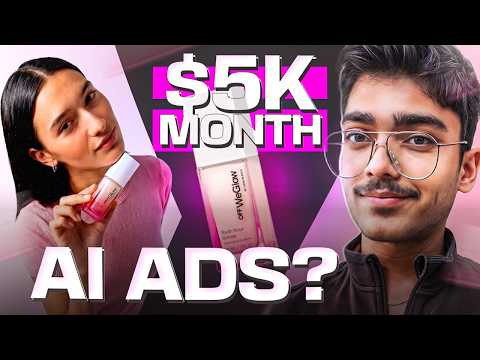
- Find small to mid-size brands that have an Instagram presence
- Build a mood board from the product image and Pinterest references
- Use a reference ad and image prompts to generate many product shots
- Generate clips, a voiceover and background music, then edit them together
- Upscale the final cut before sharing it with the client
Why brands buy this
The reasoning in the video is about cost. A simple talking head social ad, a standard brand film or a multi-location commercial all carry real production costs, and the figures I quote are lowball estimates. My pitch is that AI visuals can cut that spend dramatically.
In the video I say my agency charges 2,500 dollars a month for this service, which includes five to ten reels and 50 product shots, and I mention showing payout screenshots. Those are my own results and pricing, not a promise of what you will earn. Structure the offer with risk reversal so the client feels safe.
I also said the costs I quote are lowball figures, meaning the best case price on the market. The idea is not that every brand will pay, but that there is a real budget these brands already spend on ads and production.
Find brands to make samples for
I ask Perplexity for a list of 50 to 100 cosmetic or fashion brands with an Instagram page and a following from a few thousand to around 100,000 followers. Beyond that size, they already have an established creative team.
From the list I pick one brand, open its website and choose a single product. Then I make a sample for them, which is how you would approach a real client.
I also asked the AI for a brand list, then opened the brand's website and looked at the products. That was a real brand in my demo, but the same method works for any niche you choose.
I also say that I do not go beyond that follower range because larger brands have their own creative teams. The target is the brand that wants strong content but has no big production budget.
Build a mood board
Download the product image, because it becomes the basis of every visual. Then search Pinterest for cinematic photography of that kind of product, and for ads you like. You do not need to be original. You need a reference, otherwise you will spend hours thinking of something new.
I downloaded one reference ad, noted that it has a voiceover and multiple shots, and treated those two components as what makes an ad.
In the mood board step, I also recommend looking at advertisements on Pinterest and downloading a reference video so you can study its structure, shots and voiceover.
Generate product shots
I screenshot the references and give them to Perplexity. I ask it to act as a senior creative director for the brand and give me elaborate image prompts to recreate those shots with the brand's moisturizer as the hero product, plus extra creative shots.
I paste each prompt into Google Flow with Nano Banana 2, and attach the product image as a reference. The outputs were impressive, including props such as dragon fruit that complement the color. I do not always use JSON prompts, because they are not needed unless results are bad.
I tell the AI to be creative, think out of the box and give me additional shots beyond the reference. A reference ad gives you structure, and the AI adds variety.
Describe the reference ad and generate clips
For video I use Freepik Spaces. First, I upload the reference ad to Gemini, which I found is the model that can understand video, and ask for the most detailed description. Then I paste that into Perplexity to get storyboard and video prompts.
I generate the model's face first, then use Nano Banana 2 in 9 by 16 at 2K with the face and product as references. A Freepik storyboard feature also creates a 9 by 16 beauty ad board from one reference. I shortlist the images, then generate clips of about 10 seconds with Kling 2.5. In the video I mention you need a premium Freepik plan for unlimited Kling 2.5, and that Google Flow is a cheaper route.
Gemini is useful for the description step. I found it to be the model that can understand video, so I use it only to describe the ad and then take that description to another model. Prompts for all eleven shots came out of this.
I also mention Freepik's own storyboard feature again later: you give it one reference image and a prompt, such as create a vertical 9 by 16 beauty ad storyboard, and it returns a board of shots to choose from.
Add voiceover and music
I write the script, open ElevenLabs, preview voices and select one that sounds right, then generate speech. My first version was too long, so I cut it to a 20 second read. For music I search Pixabay for a chill commercial background track.
I treat sound as part of the product. A well-chosen voice and a clean music bed make the ad feel finished, and the brand cares about that as much as the visuals.
Edit and upscale
In DaVinci Resolve I create a project, import the voiceover, music and clips, and arrange the shots, starting with the model's face and then the bottle. I use DaVinci because it has no export restrictions like CapCut has for me.
To upscale, I import the video into Diffusion Studio, set the ratio to vertical and ask the chat to upscale it and improve the color. Then you export and share it. The final result could be better, and I say so, since I had been recording for hours.
The prompts used in the video are in a Google Doc in the video description. At the end of my build I generated two more shots because I thought they would be a nice touch for the theme, then downloaded everything from the video generator before importing it into the editor.
Watch the full video to see the product shots, clip generation, voiceover and final edit done live.
Watch the full video See EducateXAIResults vary and depend on your effort. Read the results disclaimer.
Questions people ask
Why not just use the best model for everything?
Cost. Credits on premium tools run out quickly. In the video I use unlimited or cheaper models for most clips, and keep expensive models for the shots that really need them.
Which brands should I target?
I look for brands with an Instagram page and a modest following, up to around 100,000 followers, because larger brands already have a creative team. Cosmetics and fashion were my examples.
Why do I need a reference ad?
Because nothing is fully original. A reference gives you structure, such as shot types, pacing and voiceover. You then recreate it for the client's product instead of starting from nothing.
Do I need JSON prompts for every image?
No. In this workflow I mostly used natural language prompts and only suggest JSON when the results are poor. The reference image of the product matters more for keeping shots consistent.
More from the channel
- How to Build a 3D Product Website With AI, Step by Step
- How to Set Up Indian Telephony for Your AI Voice Agents
- How to Sell AI Websites With a Value-First Cold Email System
- How to Run Claude Code Free and Offline With Ollama
- How to Recreate a Premium Website From a Mockup Using AI
- How to Price Your AI Website and Automation Services at Every Stage